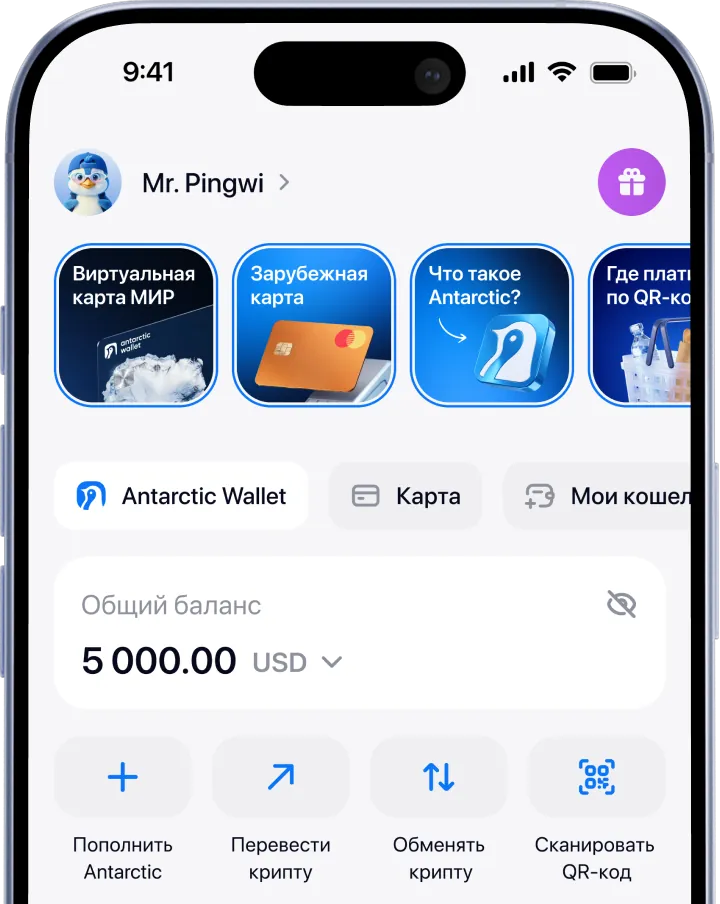
For the mobile version of the wallet:
1. Go to the App Store or Google Play
2. Install the app
3. Sign up using Telegram or email
4. Top up your wallet using one of the available methods
5. Choose the service you need in the «Services» section
For the Telegram version of the wallet:
1. Open Telegram
2. Find the official bot by username: @antarctic_wallet_bot
3. Tap «Start» → «Open Wallet».
4. Top up your wallet using one of the available methods
5. Choose the service you need in the “Services” section
Popular cryptocurrencies
Bank cards: Visa, Mastercard and MIR
Support for the CIS and other countries
How does it work?
Withdraw cryptocurrency to your card in just a few steps — with no exchangers or complex operations.
Select fiat currency
Choose the currency you want to withdraw your crypto to
RUBРоссийский рубльAdd a card
Enter your bank card details
5096 3122 3929 4062 RUB
RUBConfirm the transaction
Review the amount and fee, then confirm the withdrawal

ADVANTAGE
Crypto should easily turn into money
Withdraw cryptocurrency directly to your bank card with no complicated exchanges or third‑party services. Everything happens inside the app — quickly and transparently.
- Fast payouts
- Secure transactions
- A simple process with no exchangers
FEES AND TIMING
Transparent fees and fast payouts
You always see the final amount before confirming the transaction. No hidden terms — everything is transparent and predictable.
- Clear terms
- Low fees
- Real‑time transaction status
SECURITY
The security of your funds
We protect your transactions at every stage so you can withdraw cryptocurrency to your card with peace of mind.
- Action confirmation
- Data control
- User support